
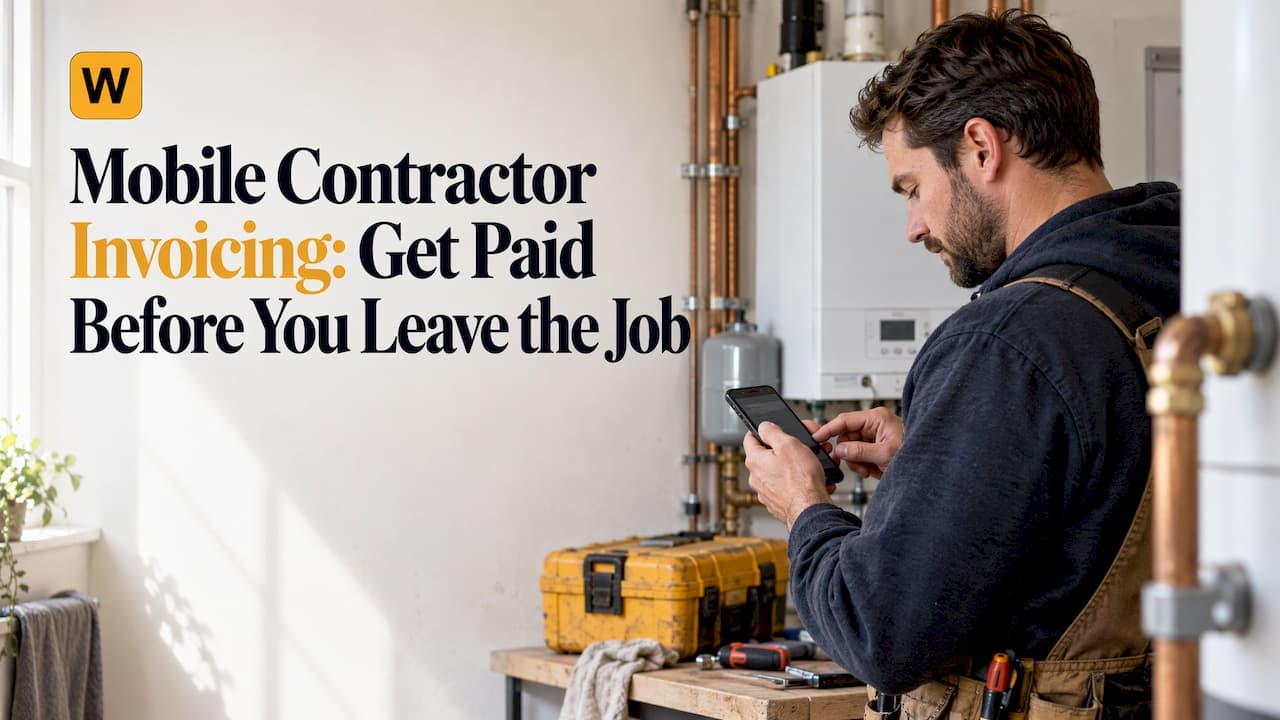
Mobile contractor invoicing means building the invoice on your phone at the job site, sending it as a payment link, and letting the customer pay by card or bank transfer while you are still there. The best setups also post that payment straight into your books, so nobody retypes anything at night. This guide covers how it works, what to look for in contractor payment software, and how to handle fees, security and reconciliation.
TL;DR
- Invoice on-site from a phone browser or app, and send a payment link the customer can use immediately.
- Pick software that syncs with the accounting tool you already use, so payments reconcile on their own.
- Automate the follow-up: autopay for repeat customers and scheduled reminders for overdue invoices.
- Check card surcharge rules by state and your PCI DSS duties before you pass fees to customers.
- Win! Payment from WebTechPro starts at $85 per month, with a 30-day free trial and no credit card required.
Table of Contents
- What mobile contractor invoicing actually is
- Why invoicing on the spot gets you paid faster
- What to look for in contractor payment software
- How the money moves: cards, bank transfer and settlement
- Perspective: why we built payment collection around the invoice you already send
- Automating recurring payments, reminders and reconciliation
- Passing card fees to customers: check your state first
- Security: what you still own when you outsource payments
- Mobile invoicing by trade
- A technician's day with on-site invoicing
- A quick checklist before you choose
- Try Win! Payment on your own invoices
- FAQ
- Sources
What mobile contractor invoicing actually is
A contractor invoice app lets a technician or owner create an invoice from a phone, attach the job details, and send it by text or email. The customer opens a link and pays. That is the whole idea, and it removes the gap where invoices wait in a truck, on a clipboard or in an inbox until someone has time.
The category is broad. Some apps are built mainly for creating invoices and estimates. Others are payment layers that sit on top of the accounting software you already run. Even the mainstream accounting apps have moved this way: the QuickBooks mobile app lets contractors create and send invoices, capture signatures on estimates, convert estimates to invoices and sync everything between mobile and web. The same report notes that in-person card and digital wallet payments are available on iOS only, which is a good reminder to check device support before you roll anything out to a crew.
The question that separates tools is not "can it make an invoice?" Almost everything can. It is "what happens after the invoice is sent?" Does the customer have an easy way to pay? Does the payment land in your bank account and your books without manual work? Does someone chase the late ones?

Why invoicing on the spot gets you paid faster
Most late payment is not a customer refusing to pay. It is delay. The invoice goes out days after the job, the customer has moved on, the payment method is a mailed check, and your office spends hours matching deposits to open invoices.
Mobile invoicing attacks each of those delays:
- The invoice exists while the work is fresh. The customer sees the finished job and the bill together.
- Paying takes under a minute. A payment link opens on any phone, with card or bank transfer.
- Nothing waits for the office. The technician does not need to hand off paperwork.
- The books update themselves. When the payment posts to QuickBooks Online or Xero within seconds, your open receivables report is accurate in the morning, not at month-end.
If you want a plain explainer on building an invoice that customers can actually open and pay from a phone, this guide to mobile-friendly invoices walks through layout and pay-link basics.
What to look for in contractor payment software
When you compare a contractor payment platform, judge it on how much work it removes after the invoice is created. Use these criteria.
Fit with your accounting software
The tool should work with how you already invoice. If your team lives in QuickBooks Online, Xero or GoHighLevel, you should not have to rebuild your invoice workflow in a new system. Look for two-way sync: invoice data flows out, payment and reconciliation data flows back.
Who owns the money flow
Find out where funds go. Some platforms pool your payments and pay you out later. Others connect to a processing account you own. We build Win! so funds go straight to your own Stripe account, which means your money belongs to you and you keep the customer and payout relationship.
Payment methods
Cards are the default, but bank transfer matters on larger invoices because it usually costs less to accept. A good platform offers both on the same payment link.
Autopay and reminders
Repeat customers, such as maintenance contracts, property managers and recurring IT clients, should be able to save a payment method once and have each invoice charge itself. Everyone else should get automated reminders on a schedule you set.
Field use
Technicians should be able to invoice from a phone without installing anything. A browser-based tool means no app store accounts, no version updates and no "which phone does Dave have" problem.
Branding
Your customer should see your name, logo and colors on the payment page, not a stranger's checkout. That is part of how a payment request earns trust.
Fee handling
Card processing fees add up. If you pass them on, the software should follow each state's rules rather than leaving that to you.
How the money moves: cards, bank transfer and settlement
When a customer pays through a hosted payment link, the processor authorizes the payment, then settles it to your bank account on a schedule that depends on your processing account. The accounting entry is the part most small businesses do by hand. A reconciling platform matches each payment to its invoice and records it in your software automatically.
Here is how that looks in Win! Payment:
- You send an invoice from QuickBooks Online, Xero or GoHighLevel, or build one in the field.
- Win! turns it into a branded payment link.
- The customer pays by card or bank transfer.
- The payment is posted back to your books within seconds of landing.
- Funds settle to your own Stripe account.
You can see the full flow on how Win! works from invoice to cash.
Perspective: why we built payment collection around the invoice you already send
We talk to service business owners every week, and the story repeats. The work gets done on time. The invoice gets sent late. The payment gets reconciled even later. The business is profitable on paper and short on cash.
That is why Win! does not ask you to change how you invoice. If you run on Xero, QuickBooks Online or GoHighLevel, you keep doing that. We add the part that was missing: a branded payment link on every invoice, payments that reconcile in seconds, autopay for repeat customers and reminders that follow up so your team does not have to.
We also think you should own your payment flow. Funds go straight to your own Stripe account, under your brand, on your domain. Our commitments are simple: a flat subscription, no hidden fees, and cancel anytime. Setup takes about 15 minutes, and you can start a 30-day free trial without a credit card, so you can see it in your own books.
WebTechPro
Automating recurring payments, reminders and reconciliation
Invoicing on a phone speeds up the first payment. Automation handles everything else.
Autopay for repeat customers
If a customer pays you every month, there is no reason to send a reminder every month. With invoice autopay, the customer saves a payment method once and each new invoice charges itself on schedule. How autopay works covers the enrollment steps.
Reminders for overdue invoices
Chasing payment is awkward work, and it is the first thing to slip when the crew is busy. Scheduled automated invoice reminders send a consistent follow-up so overdue invoices do not depend on someone remembering to call.
Reconciliation
The real cost of manual matching is not only time. It is also errors: a payment applied to the wrong invoice, a deposit nobody can explain, a customer told they owe money they already paid. When payments post directly to the invoice in your accounting software, those problems shrink. If you use QuickBooks Online, see Win! Payment for QuickBooks Online and the guide to connecting QuickBooks Online to Stripe.
Passing card fees to customers: check your state first
Many contractors want to recover card processing costs. Whether you can depends on where you operate. Surcharge rules differ by state, and card network rules add their own limits and disclosure requirements. Some states cap the fee, some prohibit it, and nearly all require that it be clearly shown to the customer.
This is the area where doing it by hand is riskiest, because a contractor working across state lines can be subject to different rules on different jobs. Win! has a surcharge engine that applies each state's rules automatically: it caps fees where the law sets a cap, blocks them where they are not allowed, and displays them clearly to the customer. You can also waive the fee for any customer you choose, such as a long-standing account.
Before you turn surcharging on with any provider, confirm the current rules for your state with your state's consumer protection office or a business attorney, because these laws change.

Security: what you still own when you outsource payments
Using a hosted payment page reduces how much card data touches your own systems, but it does not erase your responsibilities. PCI DSS, the card industry's security standard, still applies to merchants who accept cards. The PCI Security Standards Council describes Self-Assessment Questionnaire A as the questionnaire for merchants whose card data functions are completely outsourced to validated third parties, which is the lighter-weight path many small contractors fall on.
Practical steps:
- Never write down or text card numbers. Send a payment link instead.
- Complete your annual self-assessment and keep the record.
- Keep phones and laptops used for invoicing updated and protected with a passcode.
For a plain-English checklist, this overview of PCI compliance tasks for small businesses covers the annual self-assessment and the habits around it. Your payment provider and your acquirer can tell you which questionnaire applies to you.
Mobile invoicing by trade
The workflow is the same everywhere, but the details differ.
- Electrical: Jobs often combine service calls with larger projects, so you need both on-site collection and autopay for maintenance accounts. See our page on electrical contractor payment software.
- Plumbing: Emergency calls end with a customer who wants to pay and move on. Plumbing payment software lets the tech collect before leaving.
- HVAC: Seasonal maintenance plans suit autopay well. See HVAC invoice payment software.
- Locksmith and IT: Fast, one-time jobs and managed-service retainers both benefit from a payment link; see locksmith payment software and MSP billing automation.
A technician's day with on-site invoicing
Here is what a typical call looks like when the Field Tech App is in use.
- The tech finishes the repair and opens the Win! Field Tech App in the phone's browser. There is nothing to download.
- They build the invoice with labor and parts on the spot.
- They send the payment link to the customer's phone, or show it on screen.
- The customer pays by card or bank transfer, on a page with your logo, colors and domain.
- The payment posts to QuickBooks Online or Xero within seconds, and the job is closed out before the truck leaves the driveway.
Compare that with the old sequence: a paper slip, a trip back to the shop, a data entry session, a mailed statement and a reminder call three weeks later. Details are on the Field Tech App page.
A quick checklist before you choose
Use these questions with any contractor payment platform:
- Does it work with the accounting software we already use?
- Do funds go to an account we own?
- Can a tech invoice and collect from a phone without installing anything?
- Can customers pay by card and by bank transfer?
- Does it support autopay and automated reminders?
- Does the surcharge feature follow each state's rules?
- Does the customer see our brand on the payment page?
- Is the pricing a flat subscription we can read on the website?
Win! is designed to answer yes to each one. If you want to see how a branded checkout looks, review our white label payment pages and the customer portal, where customers can manage invoices and payments themselves.
Try Win! Payment on your own invoices
Win! Payment is built for HVAC, plumbing, electrical, IT, lawn care, handyman and other service teams that would rather do the work than chase the payment. Two plans are published: Starter, for up to 100 invoices per month, from $85 per month, and Unlimited Invoicing, from $185 per month. Both start with a 30-day free trial, and no credit card is required.

Setup takes about 15 minutes, and it works with the invoices you already create in Xero, QuickBooks Online or GoHighLevel. Start your free trial at payment.webtechpro.com and send your first branded payment link today.
FAQ
What is the best way to invoice from a job site?
Use a tool that creates the invoice on a phone and sends it as a payment link, so the customer can pay immediately. Choose one that syncs with your accounting software so the payment is recorded without retyping. A browser-based option means every technician can use it without installing anything.
Do I need a separate app if I already use QuickBooks Online or Xero?
Not necessarily. Your accounting software remains your system of record. A payment layer such as Win! adds branded payment links, autopay, reminders and on-site collection on top of the invoices you already send, and posts payments back to your books.
Can I charge customers the card processing fee?
In many states you can, but rules differ and some states prohibit it. Card network rules also require clear disclosure. Win! applies each state's rules automatically, capping, blocking or showing the fee as required, and lets you waive it for chosen customers. Confirm your state's current rules with your state's consumer protection office or a business attorney.
Does outsourcing card payments remove my PCI DSS obligations?
No. Outsourcing reduces the card data you handle, but you still have responsibilities as a merchant, including an annual self-assessment. Ask your provider and acquirer which questionnaire applies to you.
How much does contractor payment software cost?
Prices vary widely by type of tool. Win! Payment is a flat subscription: Starter from $85 per month for up to 100 invoices per month, and Unlimited Invoicing from $185 per month, after a 30-day free trial.
Sources
- How to use the QuickBooks mobile app when you're out in the field (Fortune)
- PCI DSS v4.0 SAQ A (PCI Security Standards Council)
- PCI Compliance: 12 Security Tasks for U.S. Small Businesses
- Mobile-Friendly Invoices: How to Build One Customers Can Pay
Recommended
- Field Tech App
- Electrical Contractor Payment Software — AutoPay, Field Invoicing & Xero / QBO Sync
- Plumbing Invoice Payment Software — On-Site Collection, Autopay & QBO / Xero Sync
- Field Service Invoice Payment Software — Collect On-Site with Xero & QuickBooks Online
This article is for general information only and is not legal, tax or financial advice. Surcharging and sales tax rules vary by state and change often, so confirm your situation with a qualified professional. Win! Payment is software, not a financial institution.